Sign-in pages
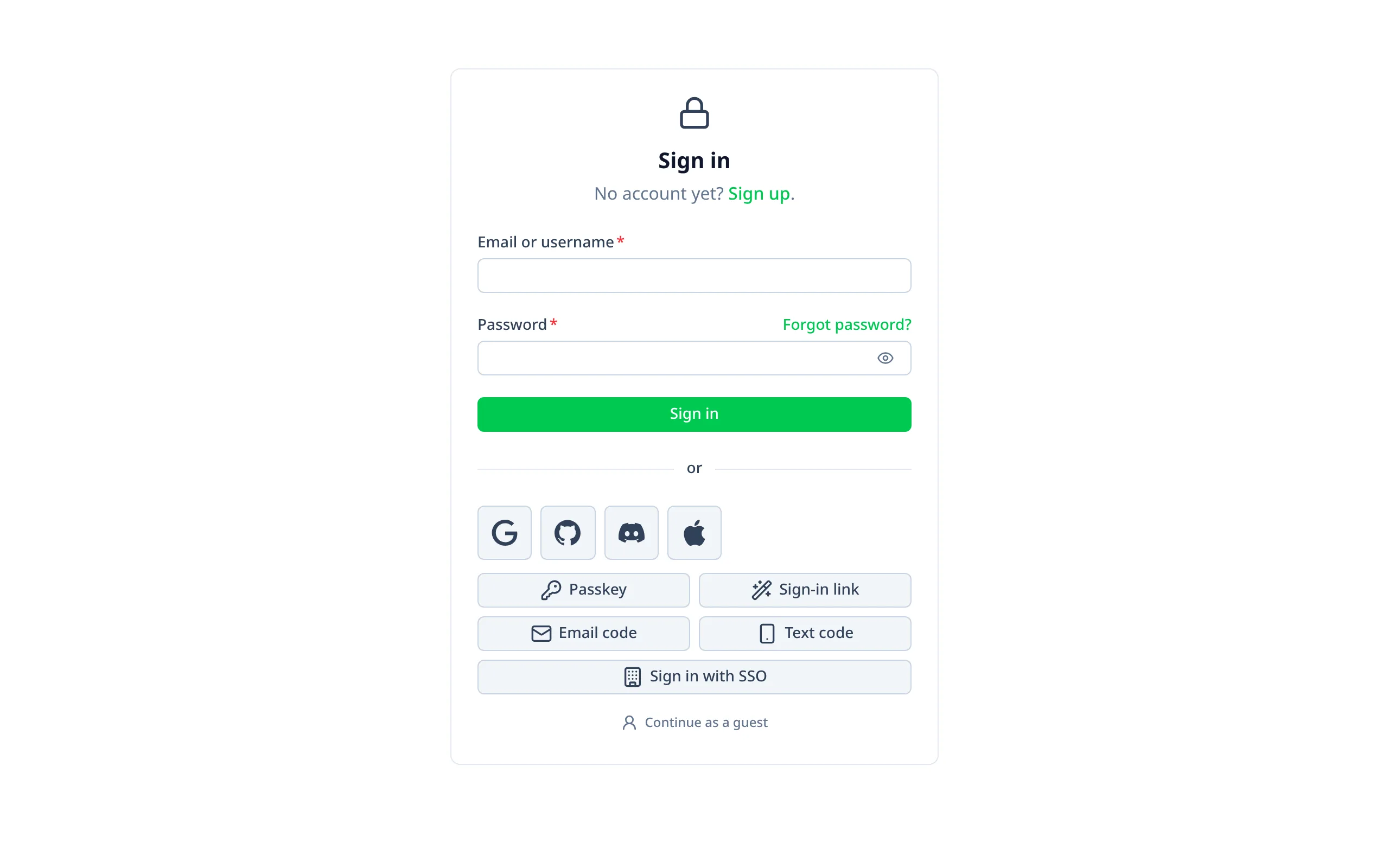
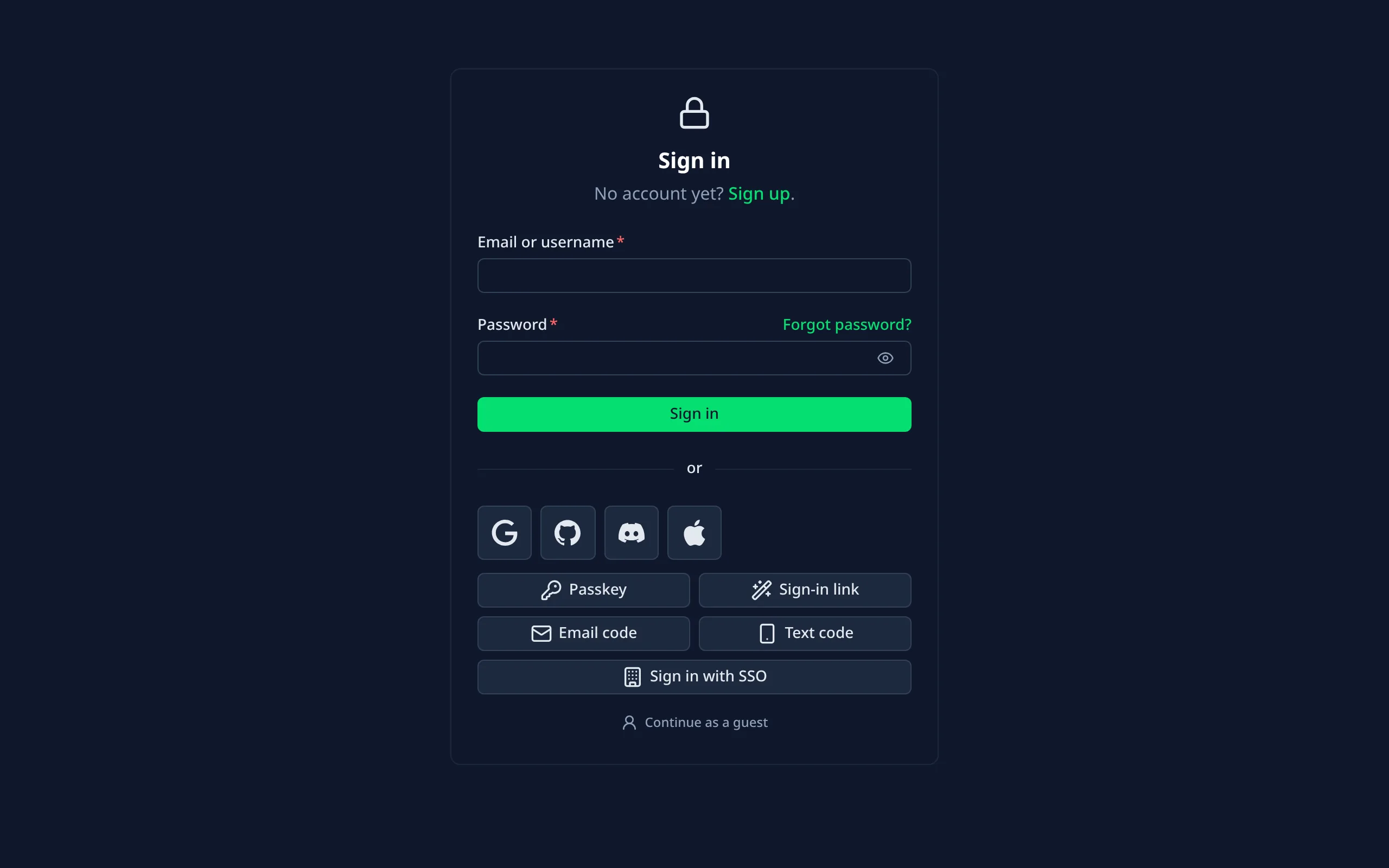
The sign-in pages are on by default, in your app's own layout. They're built with Nuxt UI's UAuthForm and
@nuxtjs/better-auth's sign-in composables.
| Page | Path | What it does |
|---|---|---|
| Sign in | /login | Email and password, and every other way to sign in you've turned on |
| Sign up | /signup | Name, email and password; "Check your email" when you require verification |
| Forgot password | /forgot-password | Emails a reset link. The answer is the same whether or not the email has an account |
| Reset password | /reset-password | Where reset links land: choose a new password, or ask for a new link if it expired |
| Two-factor | /two-factor | The second step of signing in, for users with two-factor on |
| Account | /account | People's own account page |
| Finish account | /finish-account | For providers that share no email |
Only what your set-up supports
Each page reads your Better Auth set-up at runtime and shows only what it supports:
- a button for each sign-in provider you've configured;
- sign-up only when it's enabled;
- your password length rules;
- "Forgot password?" only when reset emails are set up.
Under the email and password form, the other ways to sign in are grouped: your providers as a row of icons, then passkeys, sign-in links, codes and single sign-on, then "Continue as a guest".
Moving or turning off a page
If your app already has a page at one of these paths, your page wins: the module skips its own. To move a page,
or turn it off, use pages:
export default defineNuxtConfig({
  betterAuthUi: {
    pages: {
      signIn: '/sign-in',
      signUp: false
    }
  }
})
@nuxtjs/better-auth sends signed-out visitors here by default.Where people go
- After signing in, people go back where they came from (the
?redirect=that@nuxtjs/better-authadds, checked to be a path on your site), else to itsredirects.authenticated, else/. - Signed-in visitors are sent away from the sign-in pages.
- New accounts from a provider start on the account page (Better Auth's
newUserCallbackURL). - A failed provider sign-in (for example, GitHub hiding the email) comes back to the sign-in page with a readable
message (Better Auth's
errorCallbackURL). - Signing out, from the account page or the admin menu, goes to
/. Change it withsignOutRedirect:
export default defineNuxtConfig({
  betterAuthUi: {
    signOutRedirect: '/goodbye'
  }
})
Last used method
With lastLoginMethod: true, the sign-in page says "Last time, you signed in with GitHub" and highlights that
button. It's Better Auth's Last Login Method plugin, which remembers the method in a cookie for 30 days. The page reads
the cookie on the server, so nothing flashes.
export default defineNuxtConfig({
  betterAuthUi: {
    lastLoginMethod: true
  }
})