Account page
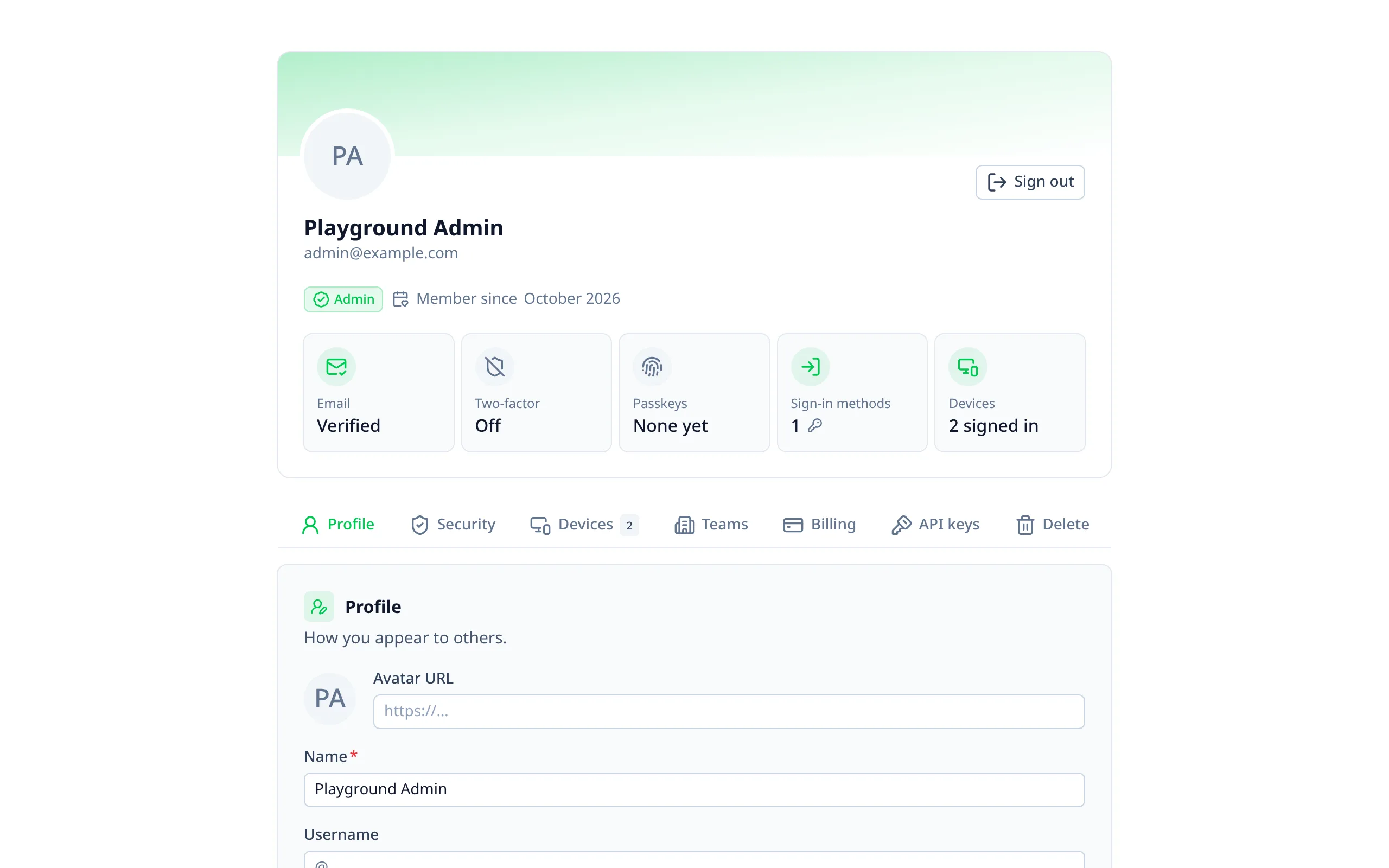
/account is for signed-in users. It's in your app's layout and uses Better Auth's own user and session APIs
(User & Accounts,
Session Management). Move it or turn it off with
pages.account.
What's on it
An overview card sits on top: avatar, name, email, role, "member since", and a tile for each part of the account's security (email, two-factor, passkeys, sign-in methods, devices) that opens where it's managed.
Below it, the sections are in tabs. The open tab is in the URL (/account?tab=security), so a tab can be linked to
and survives a reload.
| Section | What people can do | Needs |
|---|---|---|
| Profile | Change their name and avatar | |
| Resend the verification link; change their email | user.changeEmail.enabled to change it | |
| Password | Change it, optionally signing out other devices; accounts without one get a link to set one | Email and password sign-in |
| Passkeys | Add, rename and remove passkeys | Passkeys |
| Two-factor | Set up an authenticator app or email codes; new backup codes; turn it off | Two-factor |
| Sign-in methods | Connect another provider; disconnect one (never the last) | Sign-in providers |
| Phone number | Add, change or remove a number | Phone numbers |
| Devices | See where they're signed in; sign out of one or all others | |
| Organizations | Their organizations, invitations, and creating one | Organizations |
| Billing | Their plan, and changing it | Stripe |
| API keys | Create and revoke keys | API keys |
| Your data | Download what the auth keeps about them | |
| Delete account | With their password, a recent sign-in, or an email confirmation | user.deleteUser.enabled |
Sections your Better Auth set-up doesn't support are left out.
Changing email
When the current email is verified, the change is approved from the old address first, then verified at the new one.
That needs user.changeEmail.enabled and its confirmation email, both in your Better Auth config. See
Emails for sending them.
Downloading their data
"Download my data" (GDPR's right of access) gives an account-data.json file with:
- their user record, with your app's own user fields;
- their sign-in methods, sessions, passkeys and API keys;
- whether two-factor is on, and when they were last active;
- their history from the audit log.
It never includes secrets: no password hashes, tokens, two-factor secrets, backup codes, passkey keys or the API keys themselves. History entries made by an admin say "an admin", without the admin's name, email, IP or browser.
Deleting the account
People confirm with their password, a recent sign-in, or (with user.deleteUser.sendDeleteAccountVerification) a
link by email. Turn deletion on in your Better Auth config:
import { betterAuthEmails } from '@treygrr/nuxt-better-auth-ui/emails'

export default defineServerAuth({
  user: {
    deleteUser: {
      enabled: true,
      sendDeleteAccountVerification: betterAuthEmails.deleteAccount
    }
  }
})