Organizations
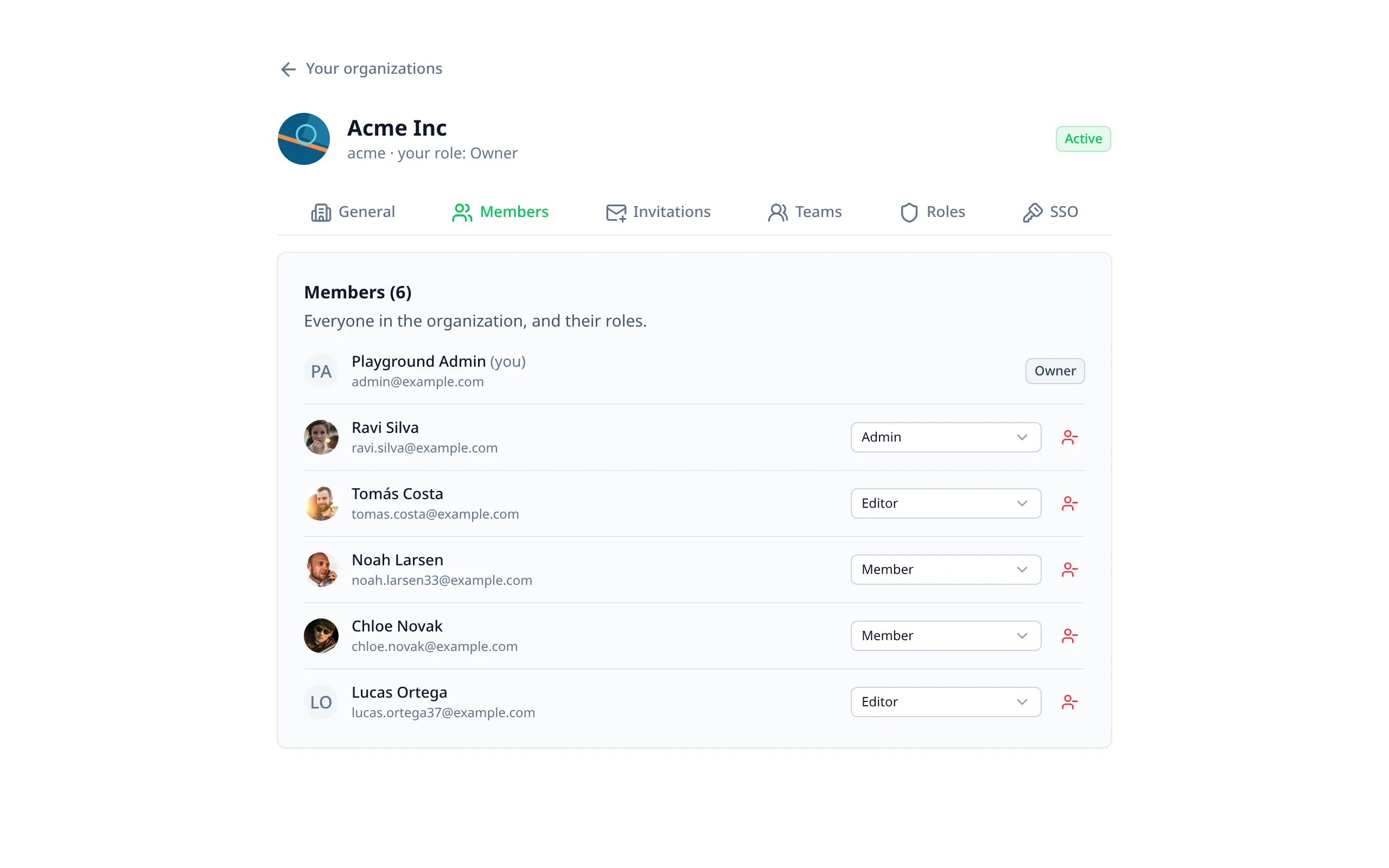
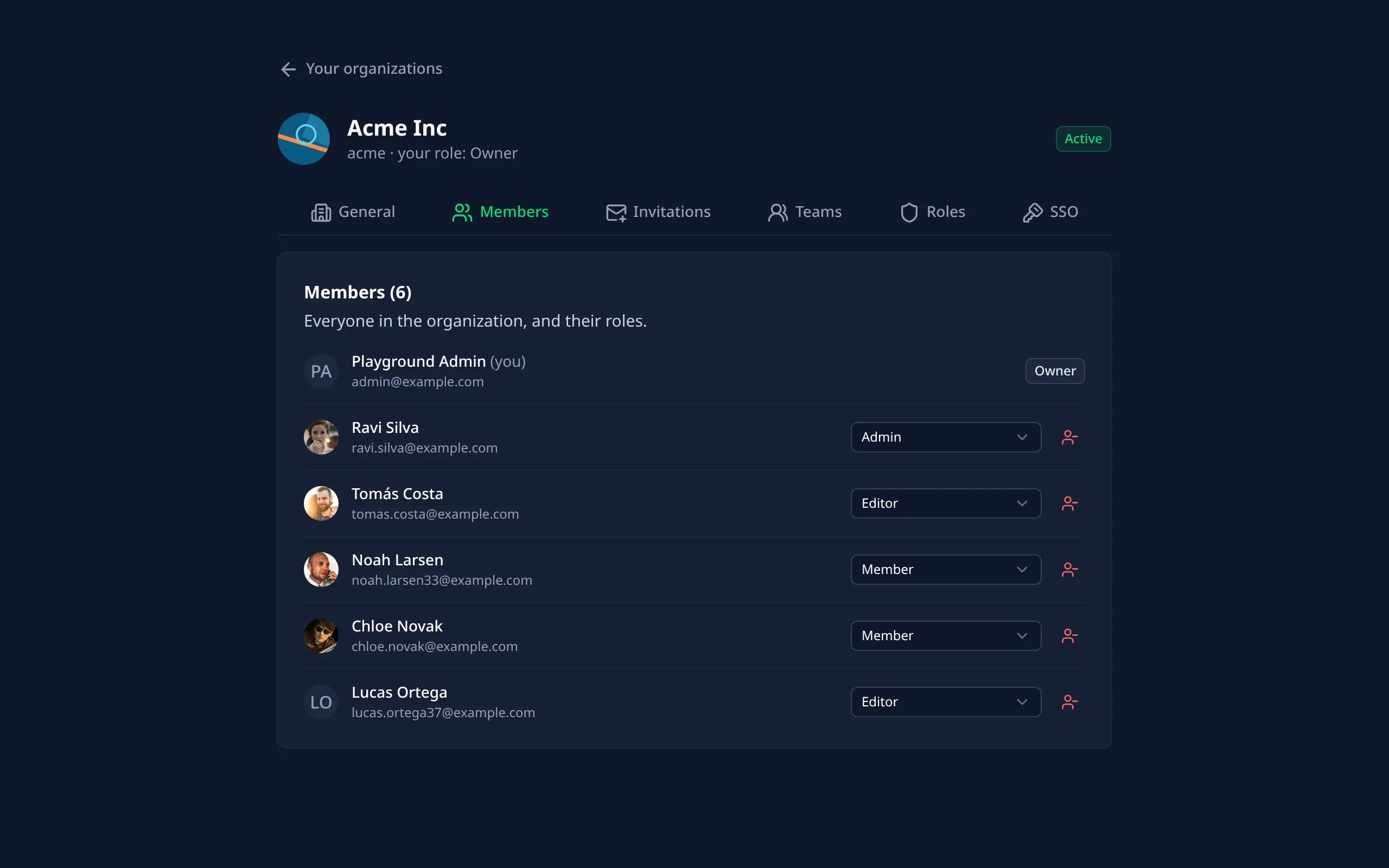
Better Auth's Organization plugin, as it is, for whatever your app uses organizations for: teams, workspaces, companies.
Turning it on
Enable it
export default defineNuxtConfig({
  betterAuthUi: {
    organization: { enabled: true }
  }
})
Run Better Auth's migrations
The plugin adds organization, member and invitation tables, and the session's activeOrganizationId. Teams and
dynamic roles add their own tables too.
Send invitations by email (optional)
Invitations are emailed when emails.send is set, with the organization-invitation
template. Their links can be copied either way.
What people get
On the account page
An "Organizations" tab with their organizations (and their teams in each), the active one marked, switching to another, and creating one: a name, a slug made from it and checked as they type, and your own fields. Invitations sent to them show at the top, with Accept and Decline. Better Auth lists them only for a verified email.
The organization's page
/organization/<id>, for signed-in members. Each part shows to those whose role allows it, from Better Auth's own
permission check, so your roles and dynamic roles count:
| Tab | What it does | Permissions |
|---|---|---|
| General | Name, slug, logo and your fields; leaving; deleting | organization:update, organization:delete |
| Members | A page at a time, with your member fields; changing roles (several each); removing | member:update, member:delete |
| Invitations | Invite by email with roles, a team and your fields; send again, copy the link, cancel | invitation:create, invitation:cancel |
| Teams | Create, rename and remove teams; add and remove members; set your active team | team:* |
| Roles | The app's roles and what each allows; the organization's own roles | ac:* |
| SSO | The organization's identity providers, for owners and admins | See Single sign-on |
The invitation page
The email's link (/accept-invitation/<id>, signed in) shows who invited them, to which organization and as what,
then Accept or Decline.
In your app
The module gives you a composable and a component for your own layout:
<template>
  <!-- Switch organization and team, open its page, create one. -->
  <AuthOrganizationSwitcher />
</template>
<script setup lang="ts">
// The active organization, with its members, server-rendered and following the session.
const { organization, activeTeamId } = useAuthActiveOrganization()
</script>
Check permissions on your server with Better Auth's own API:
export default defineEventHandler(async (event) => {
  const auth = serverAuth(event)
  const { success } = await auth.api.hasPermission({
    headers: event.headers,
    body: { permissions: { project: ['create'] } }
  })
  if (!success) throw createError({ statusCode: 403 })
  // The member's role in the active organization, if you need it:
  const { role } = await auth.api.getActiveMemberRole({ headers: event.headers })
})
In the admin
- An "Organizations" page lists every organization, with a search by name and member counts.
- Each organization's page shows its members (linking to their user pages), pending invitations, teams and own roles.
- A user's page lists their organizations.
Staff who can update users (user: update) change organizations through the calls Better Auth allows from the server,
without a member's session. Its hooks and limits apply, and each change is recorded in the audit log:
| Staff can | Through Better Auth's |
|---|---|
| Create an organization for a user, who becomes its owner | createOrganization |
| Add a member, with roles and a team | addMember |
| Create and remove teams | createTeam, removeTeam |
Better Auth needs one of the organization's members for everything else: renaming or deleting it, changing members' roles or removing them, invitations, and its own roles. With impersonation on, the organization's admin page offers Sign in as its owner, which opens the organization's own page as them. The impersonation is recorded in the audit log, and the banner leads back.
Options
<page>/<organization id>.<page>/<invitation id>.{ maximumTeams, maximumMembersPerTeam, allowRemovingAllTeams } to set limits.additionalFields) on organization,
member, invitation, team and organizationRole. The organization's page shows and edits them.Options that are functions
Some of Better Auth's options are functions, like organizationHooks, or organizationLimit worked out per user.
They can't go in nuxt.config.ts, so put them in a file and point serverOptions at it:
export default defineNuxtConfig({
  betterAuthUi: {
    organization: {
      enabled: true,
      serverOptions: './server/auth/organization.ts'
    }
  }
})
export default {
  organizationHooks: {
    afterCreateOrganization: async ({ organization }) => {
      console.info(`Organization created: ${organization.name}`)
    }
  }
}
Its options are added last, so they win over the module's. It's loaded with your auth config, also at build time, so keep Nitro-only imports out of its top level.
messages.