Single sign-on
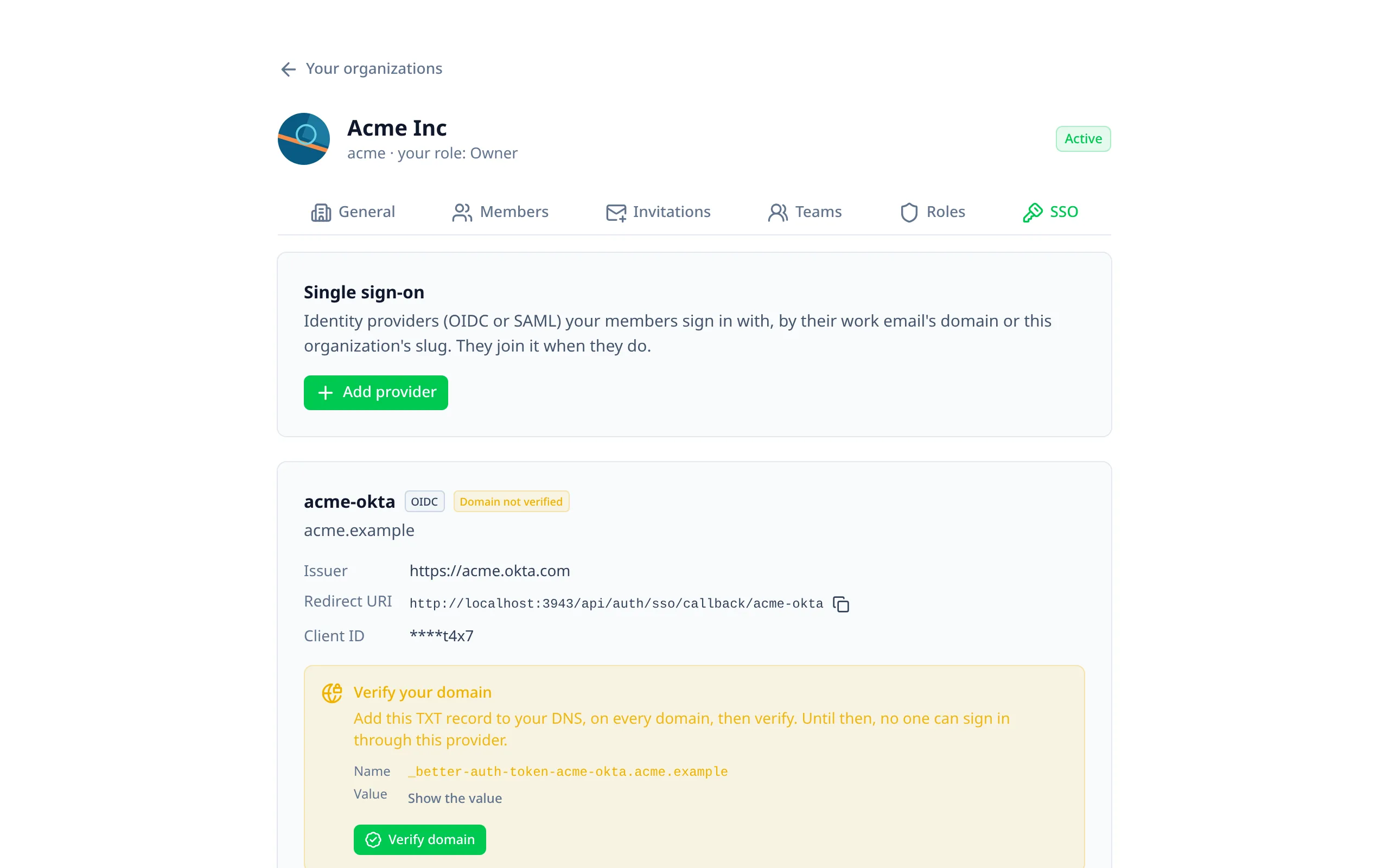
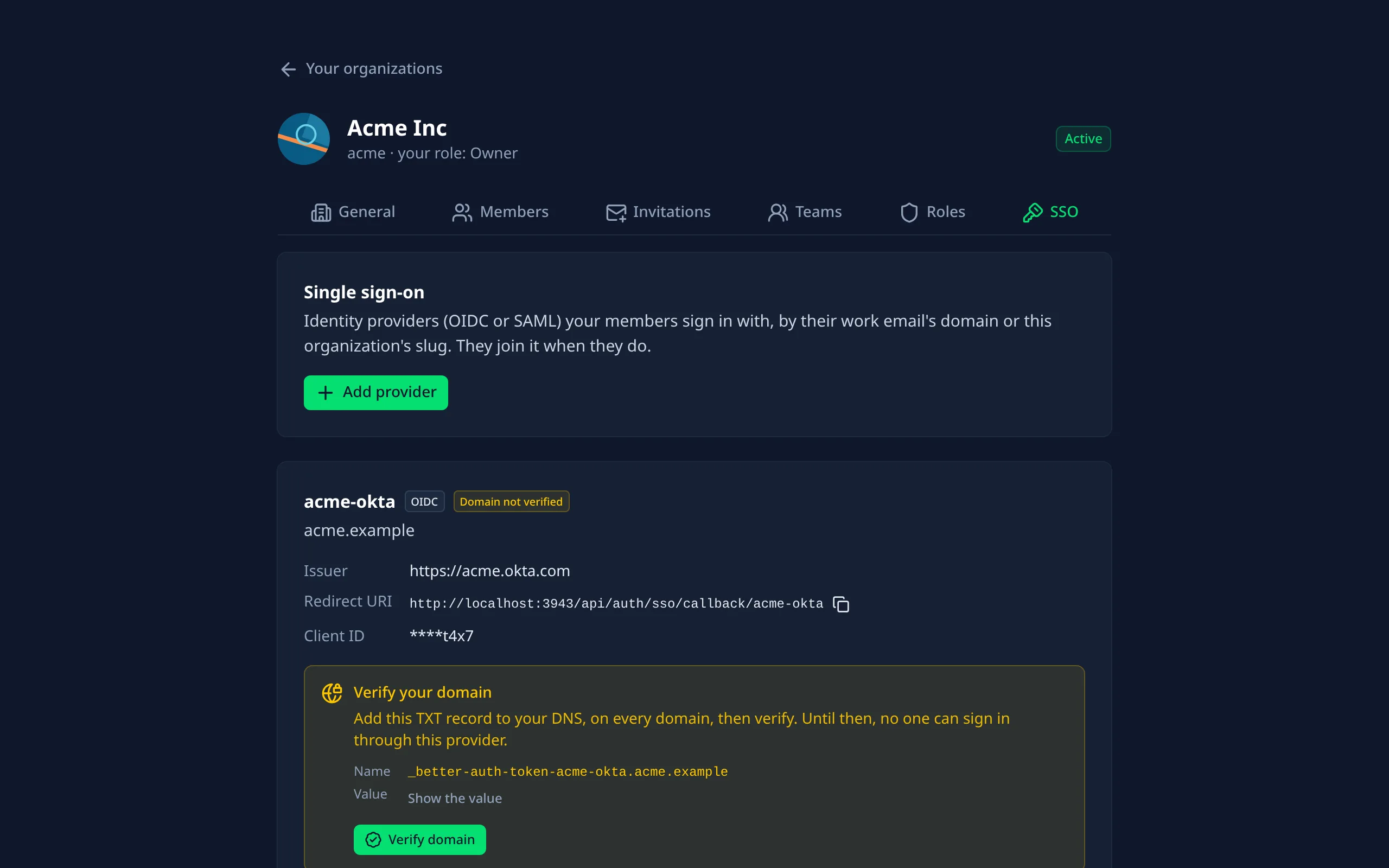
Better Auth's SSO plugin. Each organization registers its own identity provider (Okta, Microsoft Entra ID, Google Workspace, …), and its members sign in through it with their work email.
Turning it on
Install the plugin's package
pnpm add @better-auth/sso
Enable it
export default defineNuxtConfig({
  betterAuthUi: {
    organization: { enabled: true },
    sso: {
      enabled: true,
      // New providers work once a DNS record proves the organization owns their domains.
      domainVerification: true
    }
  }
})
Trust your identity providers' origins
Better Auth reads an OIDC provider's settings from its issuer, and only from origins you trust:
export default defineServerAuth({
  trustedOrigins: ['https://your-org.okta.com', 'https://login.microsoftonline.com']
})
Run Better Auth's migrations
The plugin adds an ssoProvider table.
domainVerification in production. Without it, anyone who registers a provider for a domain can sign in
people with that domain's emails.Signing in
The sign-in page gets a "Sign in with SSO" button. People type either:
- their work email: the provider is found by the email's domain;
- their organization's slug: the organization's provider is used.
They're sent to their identity provider, and come back signed in. New users land on the account page, and a provider that fails comes back with a message.
People who sign in through an organization's provider join that organization, with defaultRole or the role
getRole gives them (see Who joins as what).
Setting up a provider
Each organization's page gets an SSO tab, for its owners and admins (Better Auth allows only those roles).
Adding one
Add provider asks for:
| Field | OIDC | SAML |
|---|---|---|
| Provider ID | A name for it, part of its addresses (acme-okta) | Same |
| Email domains | Whose users sign in with it, comma-separated | Same |
| Issuer | The provider's issuer URL; the rest is read from it | Your app's entity ID for the provider |
| Credentials | Client ID and client secret | Sign-on URL, then the metadata XML, or its entity ID and certificate |
More settings has the rest: scopes, PKCE, token authentication, audience, NameID format, algorithms, signed assertions and requests, profile mapping, and your own provider fields.
What to give the identity provider
Each provider on the tab shows the addresses its identity provider needs, with copy buttons:
- OIDC: the redirect URI,
https://your-site/api/auth/sso/callback/<provider id>. - SAML: the ACS URL,
https://your-site/api/auth/sso/saml2/sp/acs/<provider id>, and a link to the service provider metadata XML.
Verifying the domain
With domainVerification, a new provider can't sign anyone in until its domains are verified:
- The tab shows a TXT record to add to each domain's DNS: its name,
_better-auth-token-<provider id>.<domain>, and Show the value. - Add the record, and wait for DNS to update.
- Press Verify domain.
Editing and deleting
Edit a provider from its card; fields left empty, like secrets and certificates, stay as they are. Deleting asks first: its members can't sign in through it any more.
Who joins as what
Members who sign in through their organization's provider join it with organizationProvisioning.defaultRole. To
decide per person, from what the provider says about them, write getRole in a file and point serverOptions at it:
export default defineNuxtConfig({
  betterAuthUi: {
    sso: {
      enabled: true,
      organizationProvisioning: { defaultRole: 'member' },
      serverOptions: './server/auth/sso.ts'
    }
  }
})
export default {
  organizationProvisioning: {
    getRole: async ({ userInfo }) =>
      userInfo.attributes?.department === 'IT' ? 'admin' : 'member'
  }
}
The same file takes Better Auth's other function options: provisionUser, resolveUser, guardProviderMutation,
resolvePrivateKey and defaultSSO.
In the admin
A Single sign-on page lists every provider: its protocol, domains and whether they're verified, its organization, and who added it. It never shows secrets. The configuration page shows whether SSO and domain verification are on.
Options
{ tokenPrefix } changes the record's prefix
(better-auth-token).{ defaultRole: 'member' } is the role people join with; { disabled: true } stops them joining.0 turns registering off.provisionUser (from serverOptions) on every sign-in, not just the first./sso/callback. By default each has its own.enableInResponseToValidation, allowIdpInitiated, requestTTL, clockSkew,
requireTimestamps, idpInitiatedCallbackUrl.ssoProvider table, including your own fields (additionalFields), which the
SSO tab shows and edits.@better-auth/infra) is a
hosted, paid service with its own self-service SSO dashboard. The module doesn't add it; if you use it, add its
plugins to your auth config yourself.